
Free Chrome extension · v0.5.0

Accessibility Surfer.

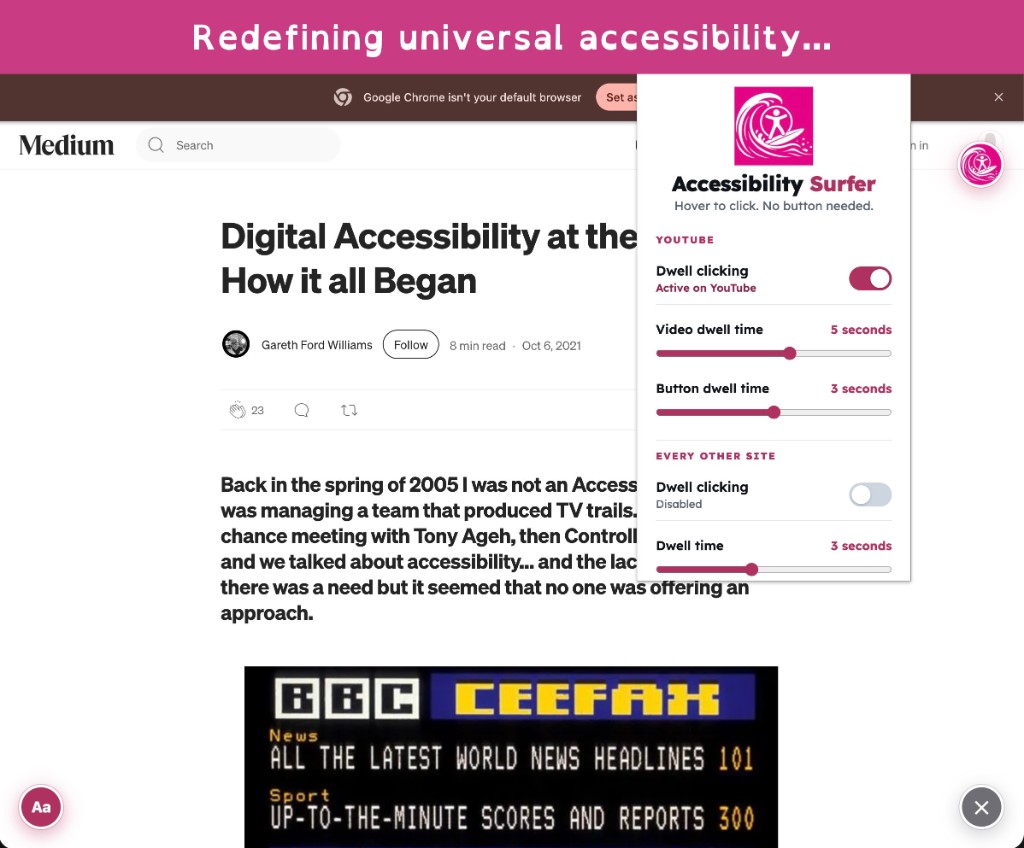
Browse your way. Hover instead of click when buttons hurt. Read with type and spacing that fits your eyes. Strip a noisy page down to the article. Less effort getting around the web, more independence doing it.

Demo video coming soon

We're putting together a short video of Accessibility Surfer in real use: a link opening without a click, type resizing mid-article, a YouTube thumbnail handled without hunting for a tiny target.

Less clicking. More getting done.

Moving a cursor is one thing. Pressing a button is another. Accessibility Surfer handles the click so you can focus on where you want to go, not the mechanics of getting there. Your hands, wrists, and shoulders get a break. The web keeps moving.

Who it's for

Built for people who browse differently.

You don't need a diagnosis. If the default web costs you extra effort, physically, visually, or mentally, this is for you.

Mobility, tremors & pain

ALS, MS, cerebral palsy, spinal cord injury, essential tremor, RSI, chronic fatigue, a temporary injury. When clicking is painful, unreliable, or exhausting, hover-to-click on every site, with settings that remember how you work.

Low vision, dyslexia & ADHD

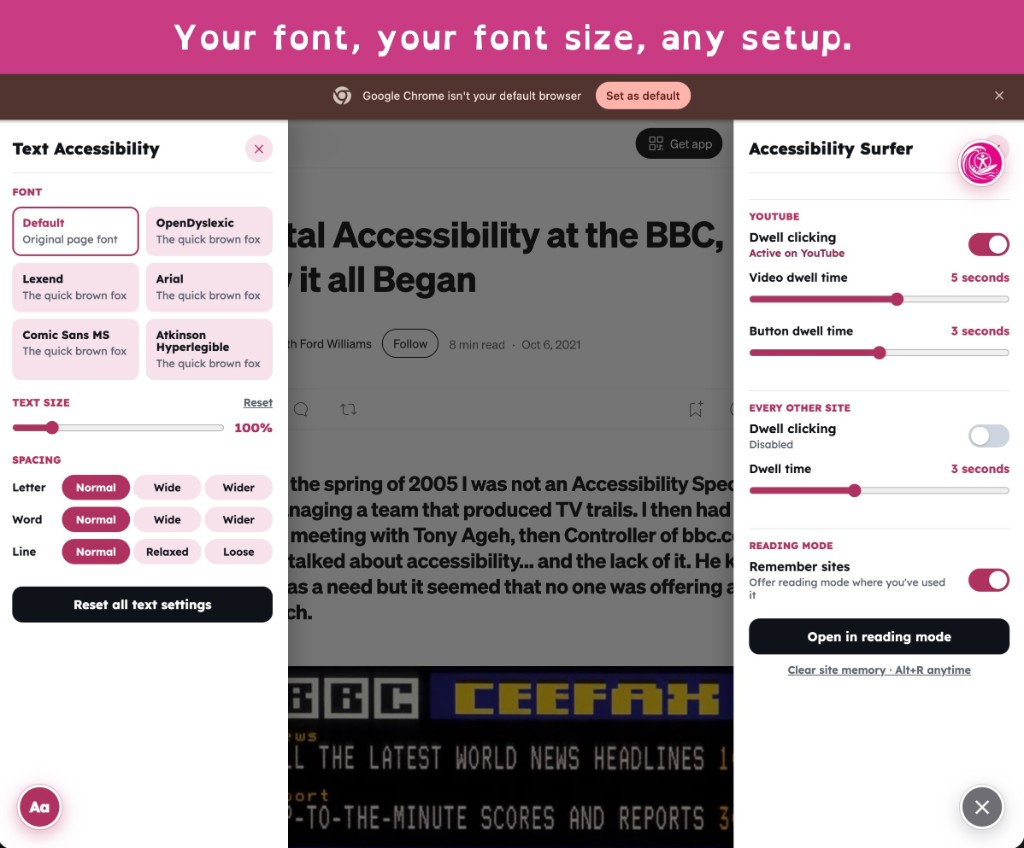
Change fonts, size, spacing, and contrast on any page. Open reading mode to cut the clutter. Screen reader users get cleaner structure. Less squinting, less losing your place, less giving up on the article.

Eye gaze, head tracking & fatigue

Head trackers, eye gaze devices, mouth sticks, joysticks, and anyone who's just tired of fighting tiny targets after a long day online. If your pointer moves but clicks don't always land, Surfer closes that gap on every website.

How it works

Four steps. Zero extra clicks.

Point where you want to go. Surfer handles the rest.

1

Point at what you want

Links, buttons, search fields, video thumbnails. Anything clickable on the page. A ring shows you exactly what Surfer is tracking.

2

Watch the countdown

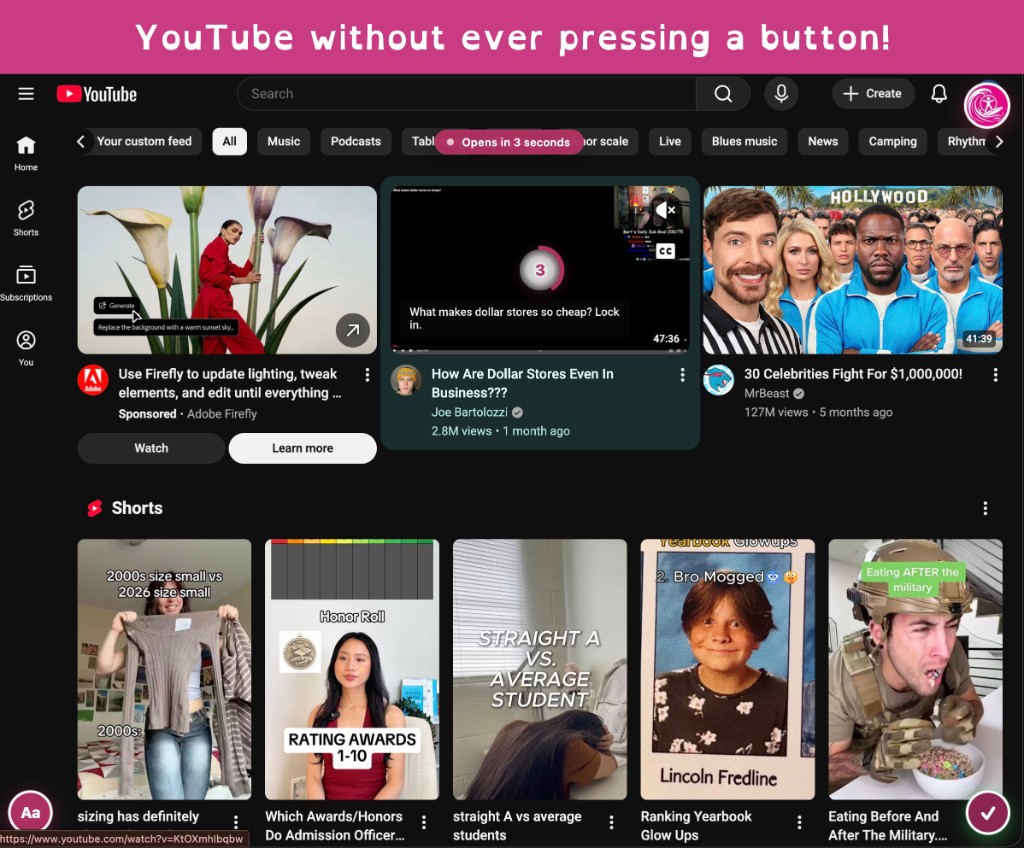
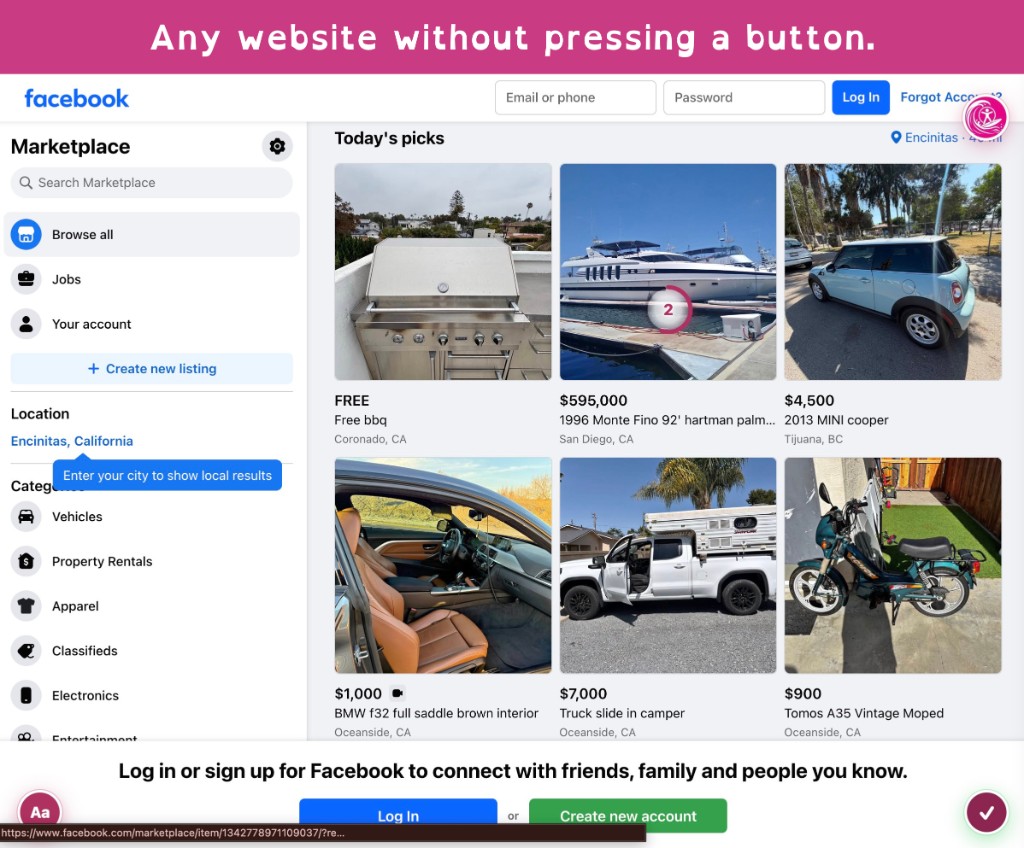
A ring fills around whatever you're hovering on and counts down from 3. You always know what's about to happen before it does.

3

It activates for you

At zero, the ring completes and the click fires. Link opened, button pressed, field focused. One less motion your hand has to make.

4

Stop anytime

Changed your mind? Hit Space, tap the on-screen button, or open the popup. It stops immediately.

What you get

Outcomes, not feature lists.

01

Less effort navigating

Fewer clicks per session. Fewer missed targets. Fewer times you give up on a form because the button is too small or your hand won't cooperate today.

02

Easier reading

Bump up type size, widen line spacing, swap to a font that stays put on the page. Reading mode strips ads and sidebars so you can finish the article.

03

Less visual strain

Stronger contrast, calmer backgrounds, text that doesn't blur together. Adjust once. Surfer remembers your preferences site to site.

04

More independence online

Banking, shopping, email, video, news. The sites you actually use, without asking someone else to click for you.

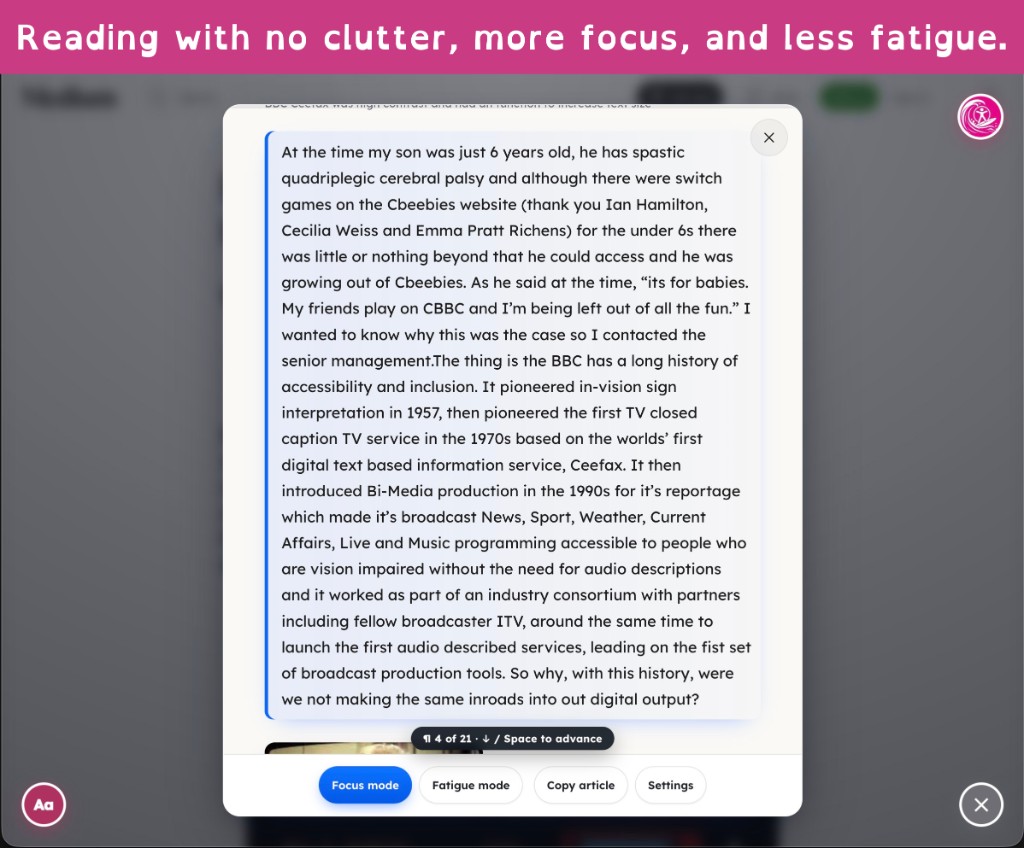
Reading mode

When the page is too much.

01

Just the article

Cut the pop-ups, nav bars, and sidebar noise. One column, your typography, your background color.

02

One paragraph at a time

Focus mode highlights a single block and advances when you're ready, or on dwell if your hands are off the mouse.

03

Compensation for fatigue

Long article, tired eyes? Font size and spacing can grow gradually as you read deeper, without you stopping to adjust.

04

Plain language on demand

Hover a word you don't recognize and get a simpler alternative. Works offline, on your device.

How it compares

Tuned for the browser, not the OS.

Your operating system has a dwell tool somewhere in its accessibility settings. Accessibility Surfer lives in your browser where you actually spend your time, and it knows the difference between a video thumbnail, a tiny player button, and a text link.

OS-level dwell tools

  • Buried in system accessibility settings
  • One dwell time for the whole computer
  • No awareness of video players, comments, or in-page UI
  • No font, size, or spacing controls for the page itself

Accessibility Surfer

  • Drop-in Chrome extension, on every site instantly
  • Separate dwell times for YouTube videos, YouTube buttons, and every other site
  • Smart YouTube mode with a top status pill and a per-thumbnail ring
  • Built-in text accessibility: font, size, line height, letter and word spacing
Where it works

Works on every site.

Install once. Every site you open gets the same set of tools: hover-to-click on links and buttons, text controls when reading gets hard, and reading mode when the layout is the problem. YouTube gets extra attention where tiny player controls usually break generic dwell tools.

Video sites

YouTube & players

Tiny play buttons and thumbnail grids are where generic dwell tools fail. Surfer knows the difference: longer dwell on thumbnails, faster response on player controls.

Everywhere else

The rest of the web

News, banking, email, shopping, government forms. Anywhere you browse. One extension, consistent controls, your settings saved per site.

Install

Get Accessibility Surfer.

Free Chrome extension. Install from the Web Store, or email us for the latest build while we finish publishing.

Add to Chrome

Add to Chrome

Coming soon on the Chrome Web Store. Email us below for early access in the meantime.

Reach us directly

axolassist.business@gmail.com

We typically respond within 2 business days.

Who we hear from

  • People who browse with assistive tech
  • Eye gaze and head-tracking users
  • Family members and caregivers
  • Accessibility professionals and partners